Charivo Unit 12
TypeScript framework for Live2D AI characters that talk, react, and look at you, with swappable OpenAI and Gemini backends for chat and voice.
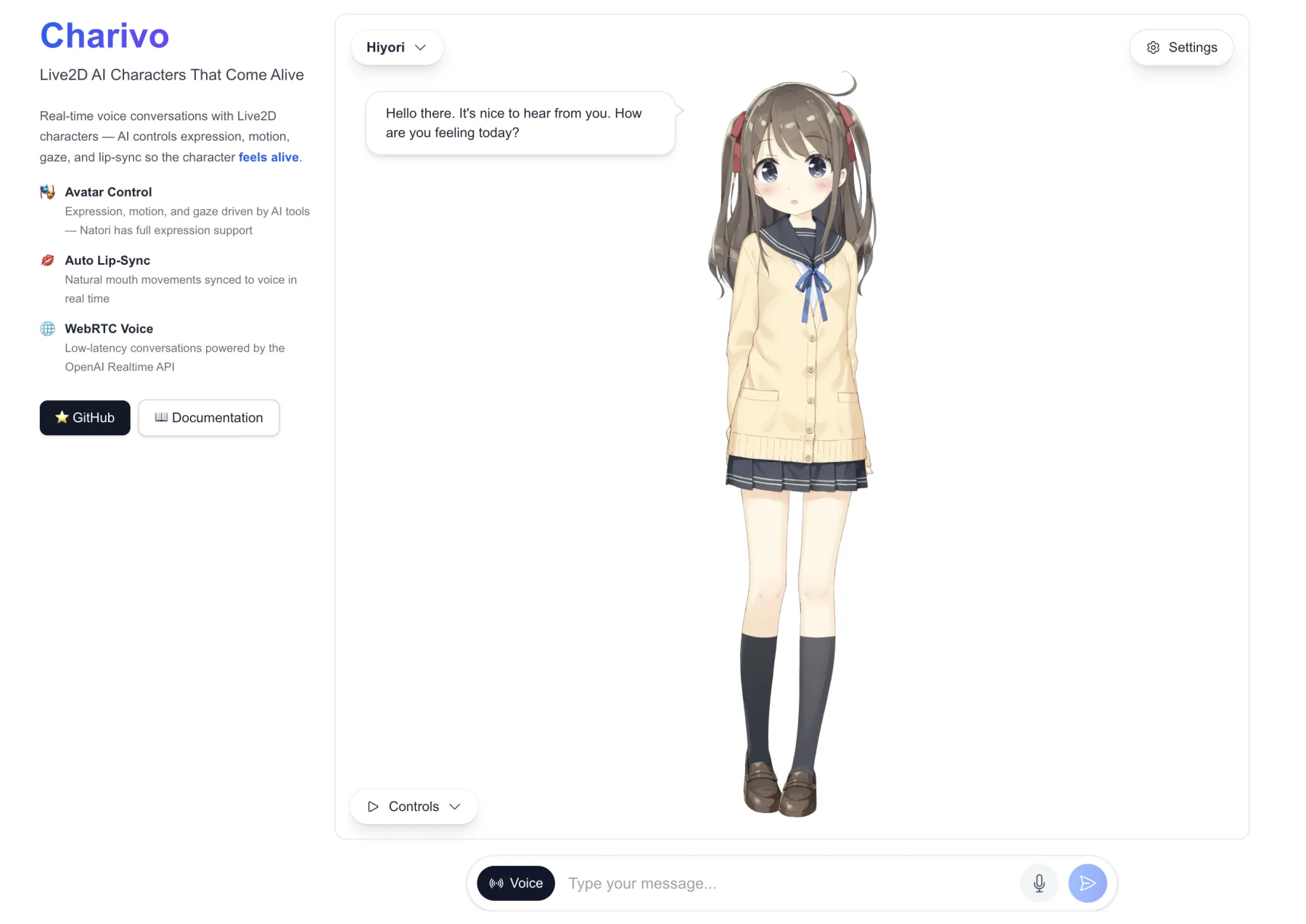
Charivo is the framework I build talking characters on: a Live2D model on a canvas, a language model behind it, and a voice going in and out. Each of those is its own @charivo/* package behind an interface, so moving a character from OpenAI to Gemini, or from typed chat to live voice, means swapping a client, not rewriting the app.
Two ways to hold a conversation
- Cascade. Text goes to an LLM, the reply goes to TTS, and the TTS manager analyzes the audio to drive lip sync. A new message cancels the turn still in flight, and
interrupt()stops a reply mid-sentence. - Realtime. A realtime manager replaces the LLM + TTS pair with one speech-to-speech session: OpenAI Realtime over WebRTC or Gemini Live over WebSocket. Your server route only starts the session and hands out a short-lived credential. After that, the browser streams microphone audio straight to the provider and plays the voice back itself.
OpenAI and Gemini both cover every modality: chat, TTS, STT, and realtime. Speech-to-text also comes in streaming form, so a transcript fills in while you’re still talking.
Keys belong on the server
Every modality splits into a stateful manager and interchangeable clients. The /remote clients call an API route in your own app, where @charivo/server holds the provider key, and that’s the path meant for production. There are also browser-direct clients so a demo runs without a server, but they ship the key to the browser and are documented as dev-only. The server-side providers refuse to run in a browser unless you pass dangerouslyAllowBrowser: true.
The LLM picks the expression
@charivo/avatar turns the loaded model’s own expressions and motions into tools: setExpression, playMotion, and lookAt. Their arguments are enums built from that model’s catalog, so the LLM can’t call for an expression the model doesn’t have. The same tools plug into typed chat and realtime voice alike, so a reply can change the character’s expression and pose, not just move its mouth.
Where it runs
There are two live demos. The web app lets you switch every provider from a settings menu, and the Companion is voice-first and remembers you across sessions in the same browser. The docs live at zeikar.dev/charivo.
LiveClaw is an Electron desktop app built on Charivo that gives a local OpenClaw agent a Live2D face and a voice. Charivo can also render through Iki, my open 2D rig engine, via a private render-iki adapter that isn’t published to npm; the published renderer and the demos use Live2D. CI still builds that adapter against Iki’s published engine, so a breaking change in Iki fails Charivo’s build.