DOGimg Unit 04
Dynamic Open Graph image generator that creates share-ready preview cards from any URL.
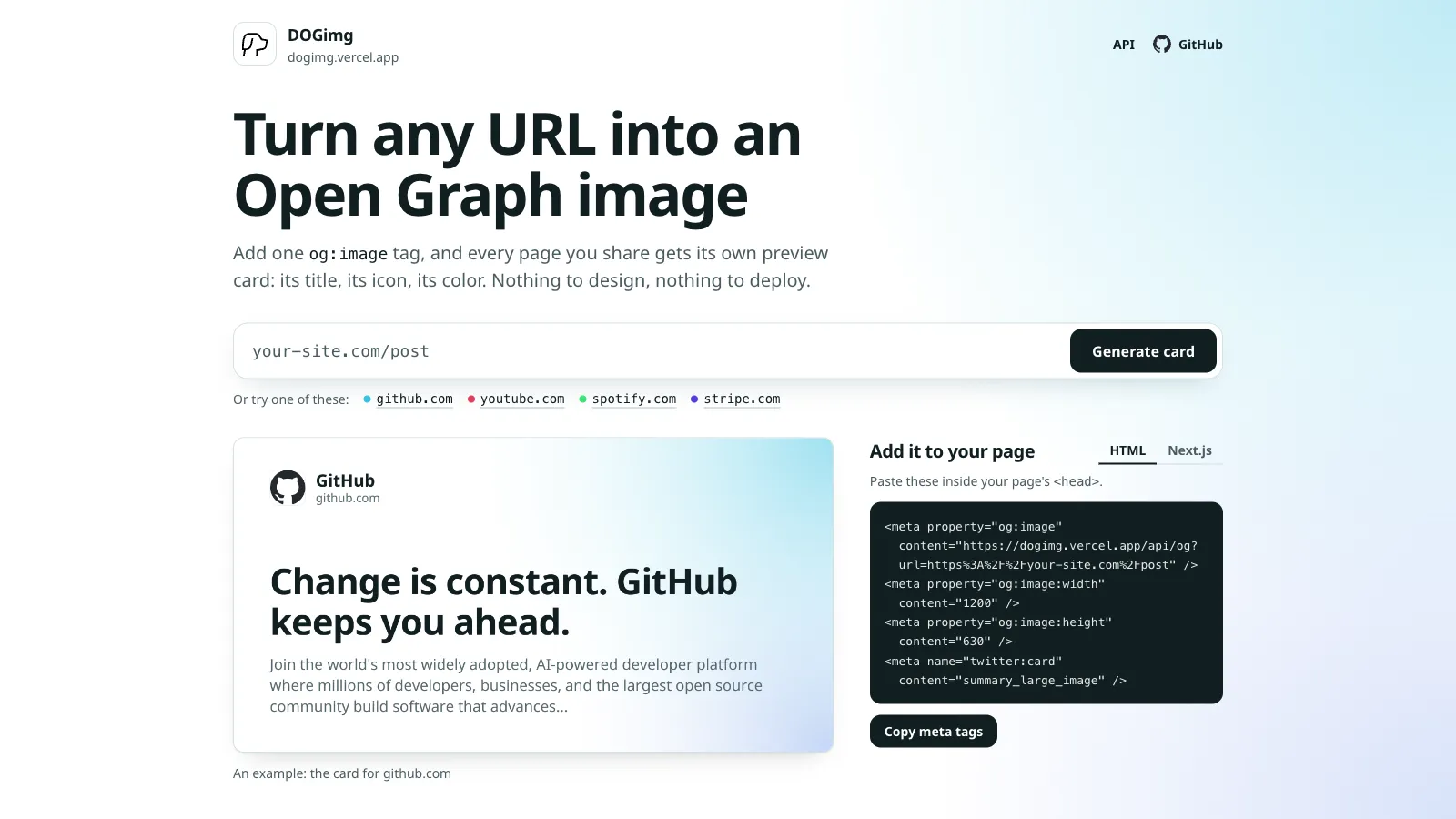
DOGimg turns any URL into an Open Graph image with a single API call. Point it at a page and it returns a 1200×630 PNG drawn from that page’s own metadata: its title, its icon, its color. There’s no key and no design step, and a page that declares almost nothing still gets a card of its own.
<meta property="og:image" content="https://dogimg.vercel.app/api/og?url=https://your-site.com/post" />
This site uses it too: pages and posts without their own image get a DOGimg URL as their social card, filled in at build time by a small Jekyll plugin. Hand-drawn PNGs and param-driven generators both had me copying metadata the page already serves; Three ways to generate Open Graph images explains why asking the page won. The hosted endpoint is a shared instance with no uptime guarantee, so the README has a one-click Vercel deploy for anyone who wants their own.
Fitting someone else’s metadata onto a card
The page’s HTML is read as the server sends it, without running scripts, and the card is drawn by Satori through next/og, set in Noto Sans. Most of the work is making metadata written for other purposes look deliberate:
- The site’s name appears once. Titles like “Pricing | Stripe” repeat what the card’s header already shows, so a segment naming the site is trimmed from either end. It counts as the site’s name when it matches the site name, its first words (“MDN” for “MDN Web Docs”) or the brand in the hostname.
- Type size follows how wide the title is. A title gets one of three sizes by length, with CJK characters counted twice because they’re about twice as wide. Korean wraps at spaces instead of between any two syllables.
- Korean, Japanese and Chinese headlines are bold too.
@vercel/ogfetches glyphs its fonts lack, but only in Regular, so a Korean title would sit next to bold Latin. DOGimg requests a Noto Sans KR, JP or SC subset holding just the card’s characters, in both weights. If Google Fonts doesn’t answer within 3 seconds, the card still renders in Regular.
One hue per card
Every color on a card comes from one hue. The page’s theme-color supplies it when it’s a real color rather than a gray. Most sites declare white, black or nothing, so the favicon’s dominant color comes next, since the icon sits on the card and the glow should agree with it. The last resort is a hue hashed from the hostname onto a hand-picked list, so the same site always looks the same. The hue is then clamped to a saturation and lightness that work on white.
A PNG favicon’s color comes from a small PNG reader of its own, built on node:zlib. It samples a few thousand opaque pixels into 30° hue bins, each voting with the square root of its chroma, so vividness tips close calls but a small bright detail can’t outvote a large field. Bins are scored in adjacent pairs, so an orange that straddles a bin edge doesn’t lose to a smaller blue.
Every URL is hostile
A service that fetches any URL it’s handed can be pointed at the network it runs in. The target URL, the favicon URL the page names, and every redirect in between all come from outside, so none of them may reach a private address.
- Before any request, the URL is checked.
localhost,.local,.internal, and the private, loopback, link-local (cloud metadata included) and multicast ranges are refused, with IPv4-mapped and NAT64 IPv6 addresses judged by the IPv4 host they stand for. A target URL naming one gets a 400; a favicon URL naming one is skipped. - When each connection opens, an undici dispatcher resolves the hostname, checks every address, and connects to exactly the addresses it checked, so a DNS answer that changes after the check can’t steer the connection. Redirect hops connect through the same dispatcher, so a public page can’t redirect into an internal one.
- Fetches are bounded too. A page and each favicon request get 5 seconds, and a favicon is cut off at 2 MB, counted as it streams. zlib is told how much output the PNG header promised, so a 2 MB decompression bomb that would inflate to 2 GB fails in milliseconds, and a test keeps it that way.
A card instead of an error
A crawler that gets a 500 shows no preview at all. So when a page can’t be fetched, isn’t HTML or resolves to a private address, DOGimg still answers with an image: a plain card carrying the hostname, cached for five minutes at most and marked with an x-dogimg-fallback: 1 header. Real cards are cached for a day on the CDN; after that, the next request still gets the old card while a fresh one is drawn behind it, so an edited page’s card catches up within about a day.
To keep a card as a file, npx dogimg https://github.com -o card.png saves it. The CLI is a thin client of the hosted API that handles what a bare curl gets wrong: on an error it saves nothing rather than a .png full of plain text, and a fallback card is saved with a warning and exit code 1.